Free · No Account · Runs in Your Browser
Plan Your Retirement in Your Browser
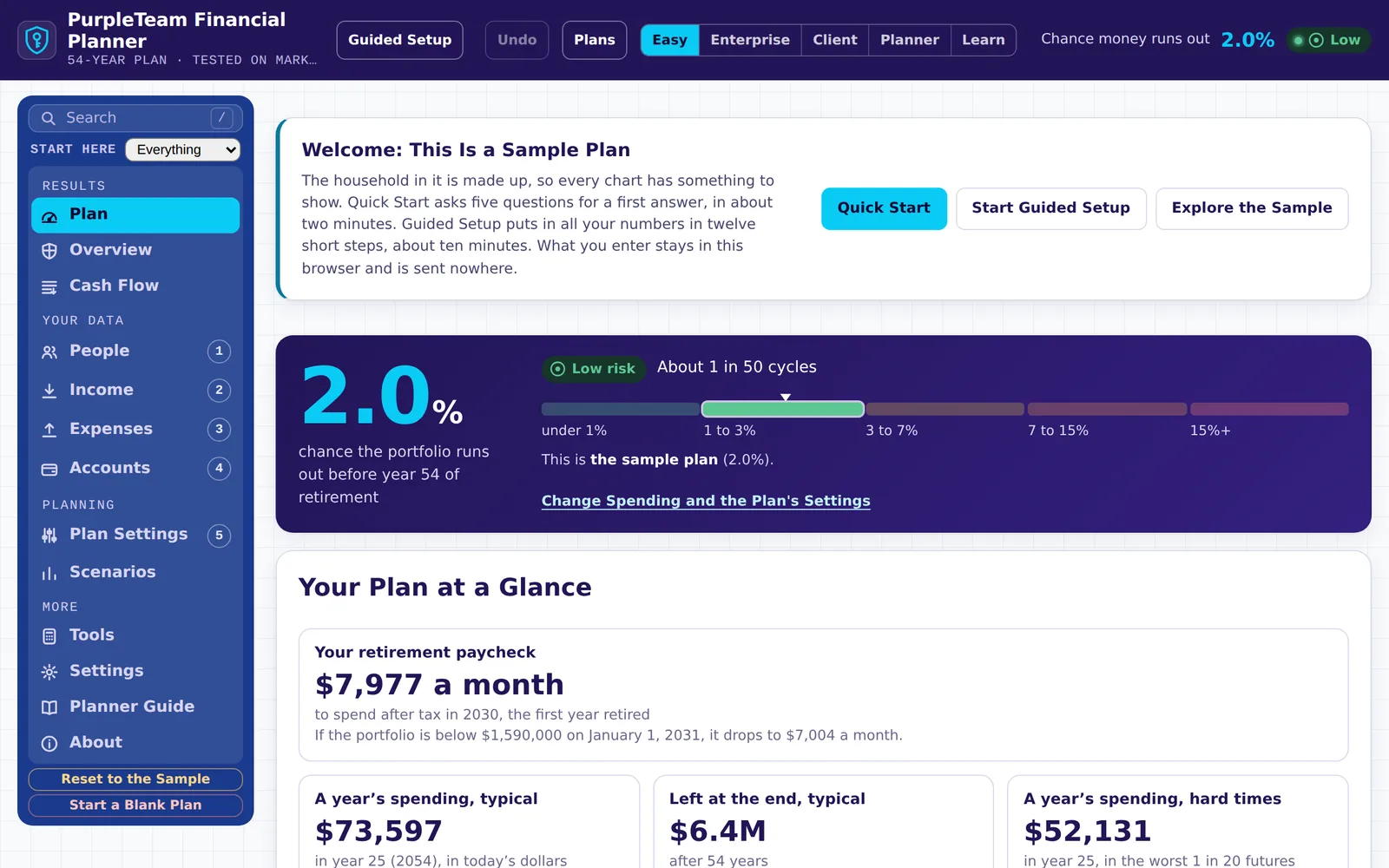
See the chance your money lasts. The planner runs your plan through 30,000 market futures, or every start year since 1871, with taxes, Social Security, Medicare and the spending rule you choose.
It opens on a sample household. Quick Start gives a first answer from five questions in about two minutes.
What It Does
It shows whether your savings, income and spending add up to a retirement that lasts, and what to change if they don’t.
The Chance Your Money Lasts
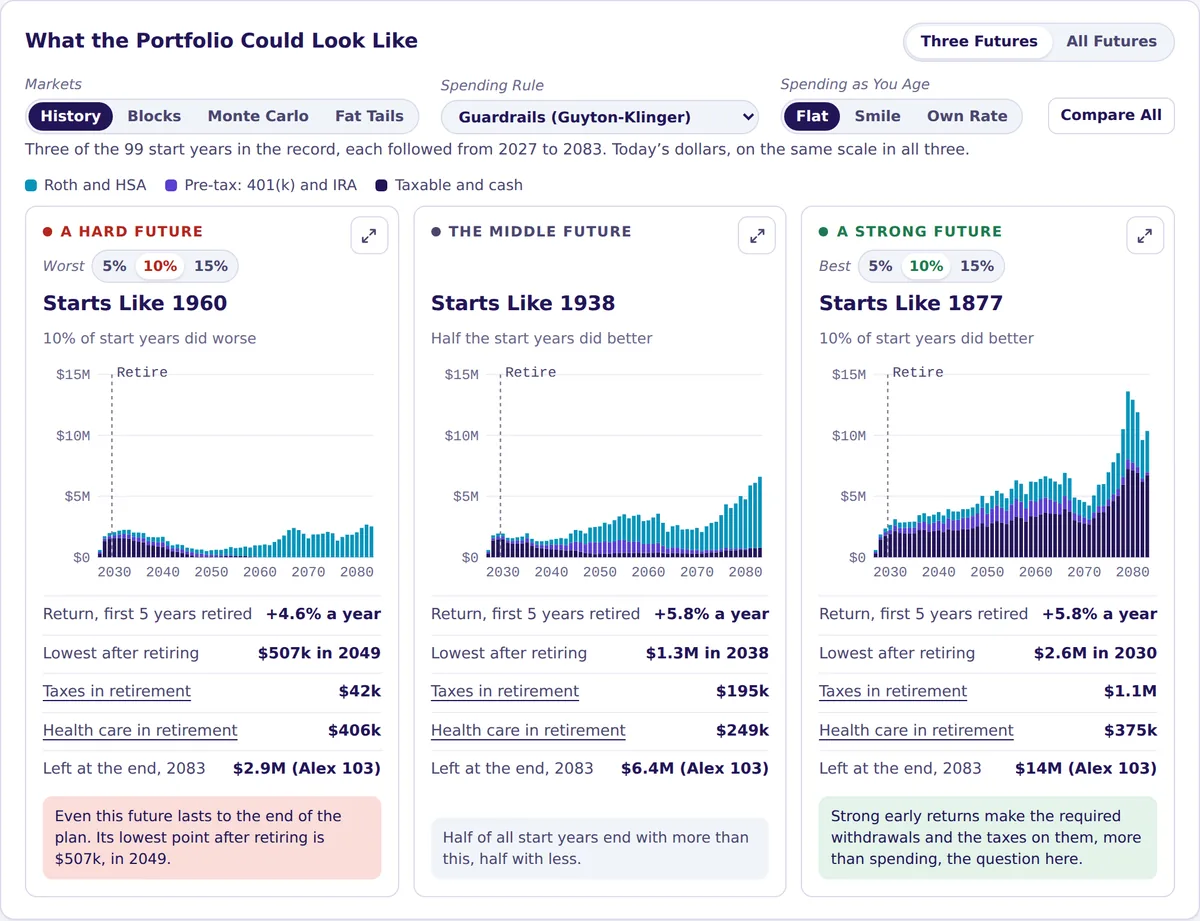
Year by year, with a hard, a middle and a strong future side by side. Stress tests put 2008, 1973–74 or 1929–32 at the start of your retirement.
Taxes, Year by Year
Federal and state income tax, Roth conversions, required withdrawals, Medicare surcharges and marketplace premium credits.
Social Security and Pensions
Claiming ages for both partners, spousal and survivor benefits, pensions, and your Social Security statement file read in.
A Paycheck From Your Savings
14 spending rules, from fixed spending to guardrails, turned into a monthly paycheck with the portfolio values that would change it.
Start From a Household Like Yours
13 sample households by stage of life, or Quick Start: five questions and a first answer in about two minutes.
For Planners and Students
Client and planner views, PDF reports with your firm’s name, a client report in Spanish, and 28 lessons for high school students.
How It Works
Three steps, all in your browser.
Enter Your Plan
Start from a sample, answer Quick Start’s five questions, or let Guided Setup walk you through your numbers in about ten minutes.
See What Could Happen
The plan runs year by year through every future, with taxes, Social Security and health care, and shows the chance it lasts.
Try Changes
Spend a little less, retire a year later or claim Social Security at 70. Save each as a scenario and compare them side by side.
Your Data Stays in Your Browser
The planner is one web page with no server behind it. What you type is saved in your browser on this device and sent nowhere, unless you choose to share it.
- 1
This Website
Sends the planner’s files to your browser. Nothing comes back.
- 2
Your Browser
Runs the plan and saves it on this device.
- 3
A Link You Send
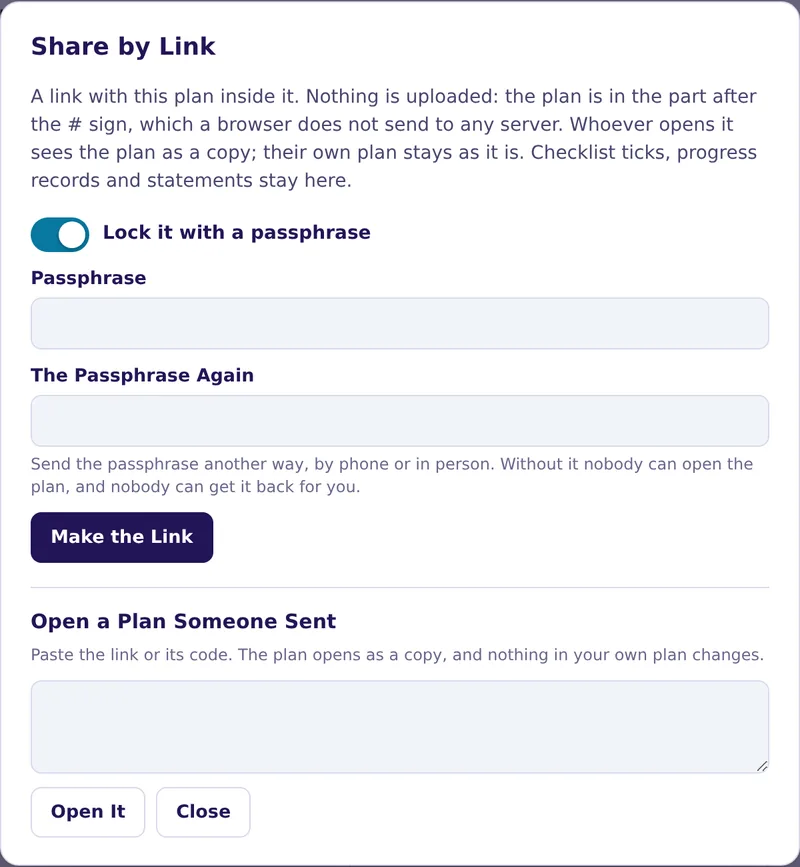
Carries the plan inside it, after the # sign, which browsers never send to a server.
- 4
Their Browser
Opens it as a copy. Their own plan stays as it was.
Kept Private
- No account, no tracking. No sign-up, no cookies, no analytics and no ads. The page loads nothing from other sites, not even fonts.
- Nothing sent. The planner’s own code has no way to send what you enter, and this site’s security policy blocks it too. The Settings tab lists every address the page has contacted.
- Backups you control. Download a backup to move a plan, sealed with a passphrase if you like (AES-GCM), with its SHA-256 fingerprint.
- Files you can check. SHA256SUMS.txt lists the fingerprint of every file of this site, so a copy can be checked against the release.
Shared When You Choose
- Share by Link. Send your plan to a partner or an adviser. Lock it with a passphrase, and send the passphrase another way.
- Copy for Your AI. A text copy of the plan for an AI assistant to look over, with names left out by default.
- Reports and files. PDF reports, spreadsheets and calendar files are made on your device.
Good to Know
Your plan is saved in this browser without encryption, so anyone who uses this browser on this device can see it: use a device you trust. The planner never needs account numbers, Social Security numbers or passwords, so don’t enter them. A shared link is only as private as the way you send it. The code has had AI-assisted security reviews, not an independent audit.
Guides
Written guides for every step. Short videos are on the way: the Discord is where they are announced first.
Guide
User Guide
Questions people bring to a planning meeting, from everyday to complex, and where the planner answers each.
Lessons
Lessons for Students
28 short lessons on earning, budgeting, credit, investing and insurance, each with numbers to try and a quick check.
Questions, Ideas and Bug Reports
The planner grows from what people report. Ask a question, suggest a feature or report a bug on Discord.
Who Made It
Stefan Waldvogel, FPWMP®, is a cybersecurity professional with more than three decades in IT, working today as a SIEM and detection engineer. He holds the Financial Planning & Wealth Management Professional certification.
He designed the planner and built it with Claude, Anthropic’s AI, one feature at a time. Before each version is published, more than 9,500 automated checks run the calculations and open every tab and tool in a browser.